Configurations
In SW360 v20, system administrators can manage most application settings directly through the user interface. This eliminates the need for manual configuration file edits for many standard adjustments.
Admin > Configurations
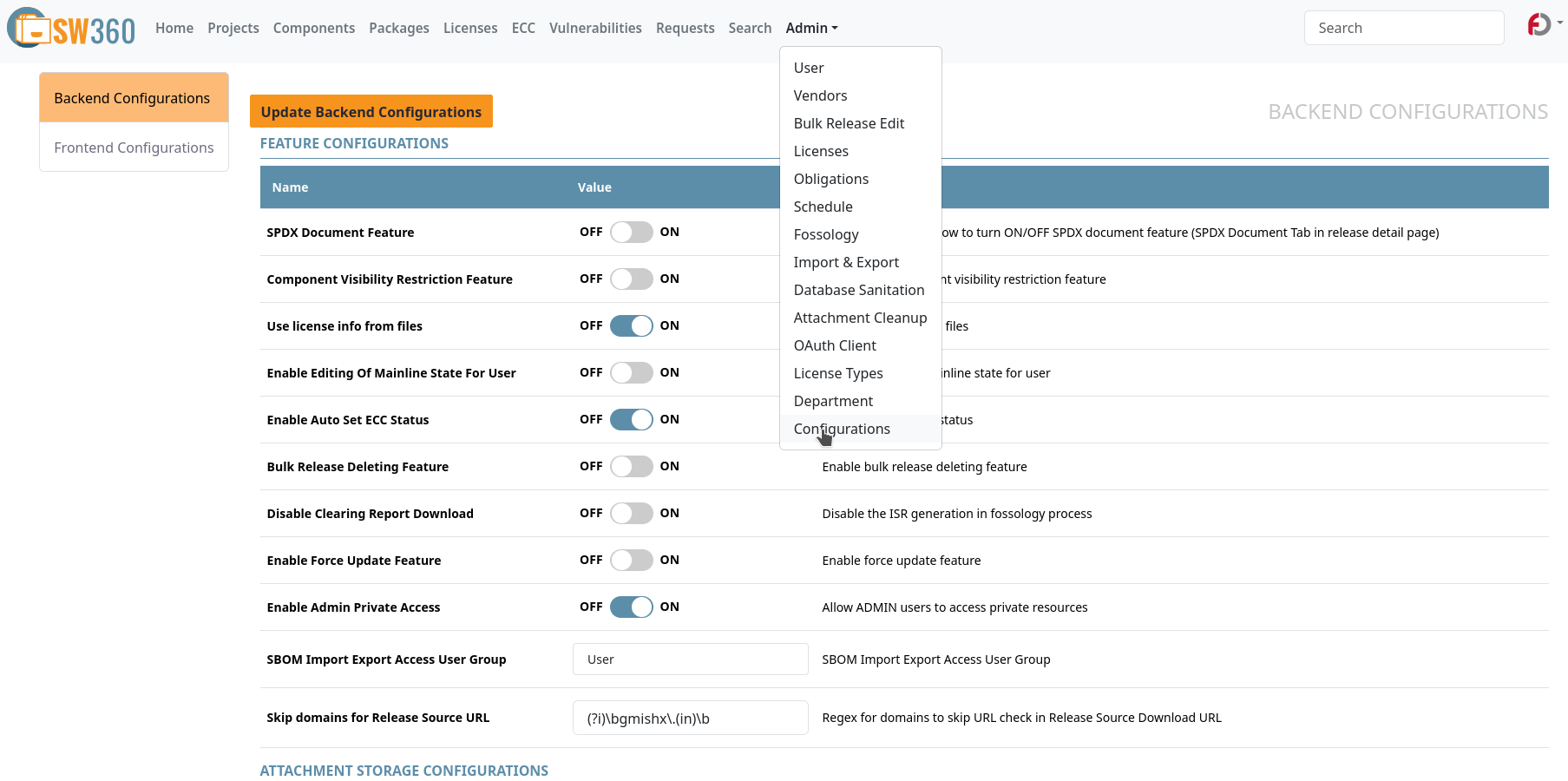
The primary interface for application settings is found under Admin > Configurations.
- Update Persistence: Changes made here are stored in the database and typically take effect immediately across the application.
- Toggles & Parameters: Most features can be activated or deactivated using simple toggles, some are available as text fields and some with comma separted pills for generating dropdowns.
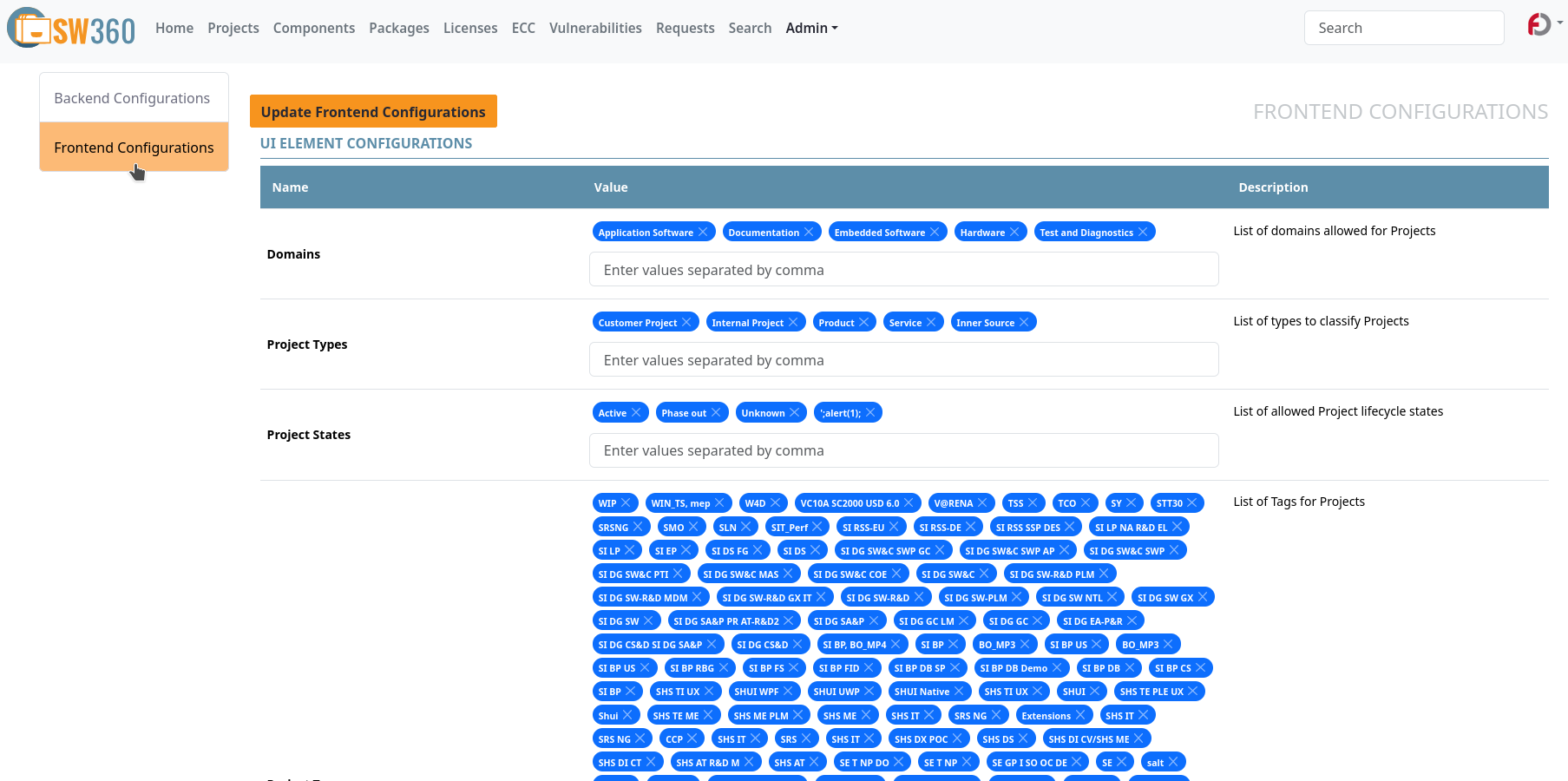
All the configurations are arranged in 3 columns, Name, Value and Description. Name being a human friendly name of the property, Value holding the current value of the property and Description being a human friendly description for the property. They are divided accross two sections:
1. Backend Configurations
This section contains the properties which effect the backend behaviour mostly (but some frontend features as well).
- Examples: Update SPDX Docment feature in releases, Enable Admin access to private projects, etc.
2. Frontend Configurations
This section contains the properties which are related to the frontend features.
- Examples: The values for various drop-downs, Enable/Disable buttons, etc.
Technical Reference
While the administrative UI simplifies most tasks, there are other configurations stored in various properties files. For an exhaustive technical reference of all available properties—including those that are file-based and require a server restart—please consult the:
👉 SW360 Configuration Technical Reference
Modifying File-Based Properties
Some fundamental settings (such as database connection strings, Keycloak URLs,
and secret keys) are managed at the system level via configuration files (e.g.,
/etc/sw360/sw360.properties).
Settings modified directly in the file system require a server restart to become effective, as they are loaded into memory during the application’s initialization phase.