ModelEditors
All aspects of the ROOMLanguage are edited using the textual model editor. In addition, graphical viewers are provided to visualize the structural and behavioral parts of ActorClasses. The diagrams are generated automatically from the textual model, use an automatic layout, and are read-only.
| Features | |
|---|---|
| Contains: | TextualROOMEditor, GraphicalStructureViewer, GraphicalBehaviorViewer |
GraphicalBehaviorViewer
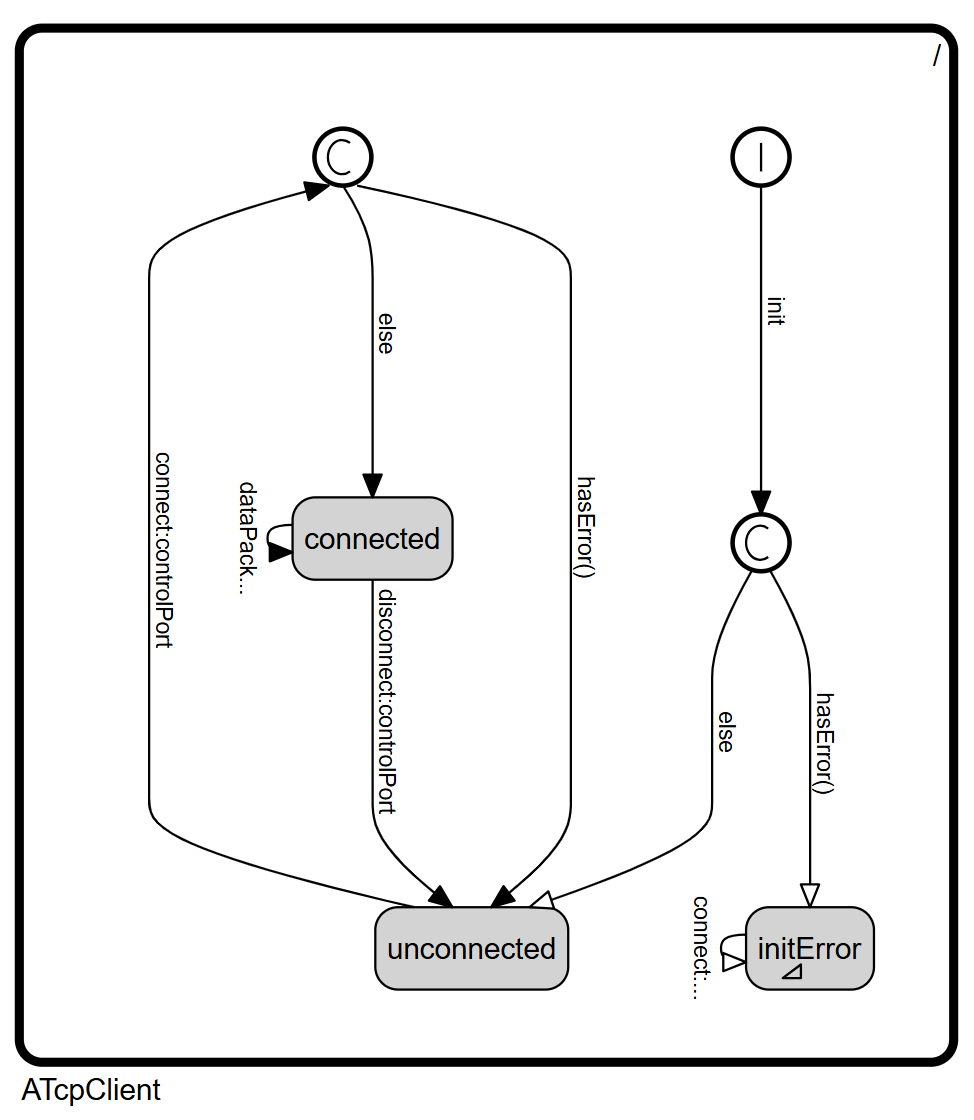
The GraphicalBehaviorViewer visualizes the ActorClass' StateMachine. (Hierarchical) states and transitions are rendered with an automatic layout, so complex behavior can be explored conveniently. The diagram is read-only — the state machine is edited in the TextualROOMEditor. Hierarchical states can be navigated by opening the subgraph of a state or returning to its parent.
The viewer can be opened via the Open Behavior Diagram code lens above an ActorClass definition, via the VSCode Command Palette (Ctrl+Shift+P → eTrice: Open Behavior Diagram), or using the keyboard shortcut Ctrl+Shift+Alt+B.
| Features | |
|---|---|
| Displays: | StateMachine |
GraphicalStructureViewer
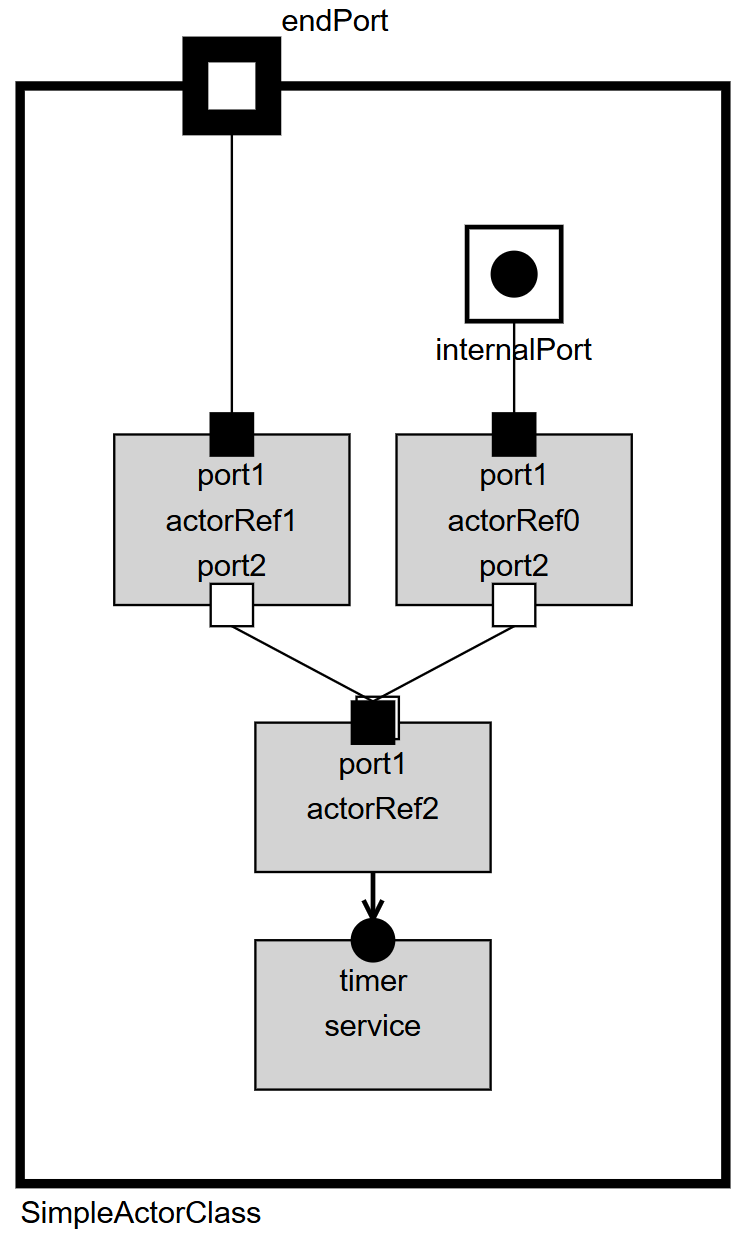
The GraphicalStructureViewer visualizes the ActorClass' Structure with an automatic layout. Actor references, ports, bindings and layer connections are arranged automatically from the textual model. The diagram is read-only — the structure is edited in the TextualROOMEditor. Referenced actors can be explored by opening the structure of an ActorRef in a new view.
The viewer can be opened via the Open Structure Diagram code lens above an ActorClass definition, via the VSCode Command Palette (Ctrl+Shift+P → eTrice: Open Structure Diagram), or using the keyboard shortcut Ctrl+Shift+Alt+S.
| Features | |
|---|---|
| Displays: | ActorClass, ActorRef, Port, SAP, SPP, Binding, LayerConnection |
TextualROOMEditor
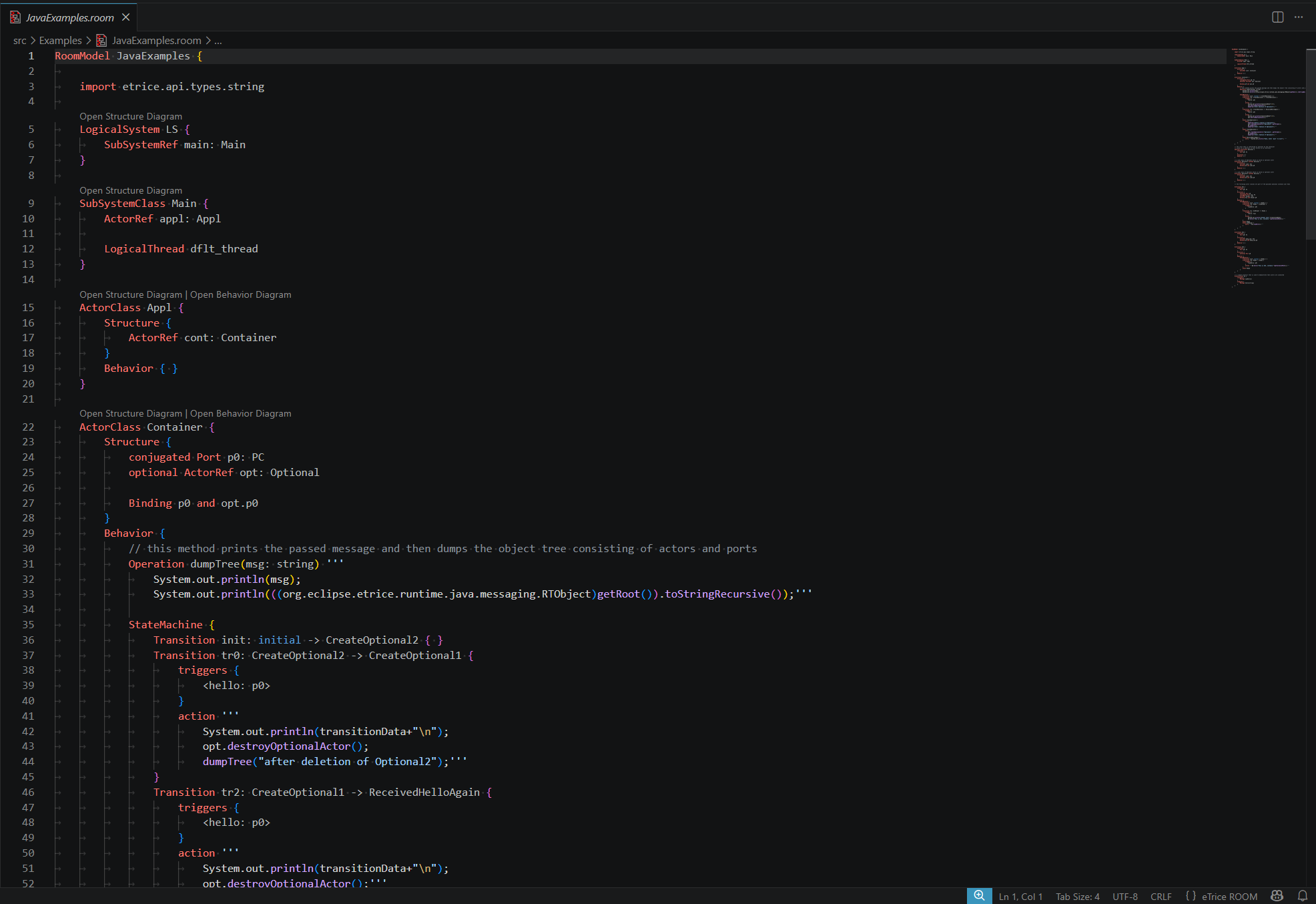
The textual ROOM editor is the primary editing tool. It provides syntax highlighting, content assist (Ctrl+Space), error markers, go-to-definition (F12), find references (Shift+F12), and hover information for all ROOM language elements.
| Features | |
|---|---|
| Contains: | OutlineView |
| Edits: | ROOMLanguage |
OutlineView
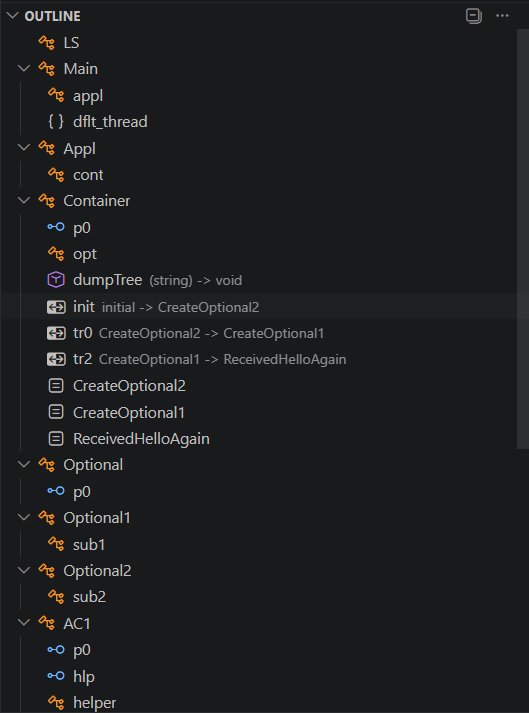
Displays an overview of all elements in the textual editor.
The Outline View is available in the VSCode Explorer sidebar under Outline. It shows the hierarchical structure of the open ROOM file and allows fast navigation by clicking on any element. Selecting an element in the outline moves the cursor to its definition in the text editor.
| Feature Usage | |
|---|---|
| Is contained in: | TextualROOMEditor |